
Business partners shaking hands in a bright modern office during a NetSuite Ireland implementation planning meeting.

What to Ask Before Signing with a NetSuite Implementation Partner

Business partners shaking hands in a bright modern office during a NetSuite Ireland implementation planning meeting.

Choosing a NetSuite implementation partner is one of the biggest decisions you’ll make during an ERP project. It’s easy to focus on software features and pricing, but in reality, the partner you choose will have just as much influence over the outcome. 

Over the years, we’ve spoken to businesses at every stage of the journey. Some are investing in NetSuite for the first time. Others already have it in place but feel it isn’t delivering the visibility, efficiency or control they expected. We also meet organisations whose original implementation went off course and are looking for a fresh start. 

One thing is consistent across these conversations: the right questions asked early can save months of frustration later. 

Here are the questions we believe every business should ask before signing with a NetSuite implementation partner.

Do they understand your business before recommending a solution? 

A partner shouldn’t start by talking about modules and features. They should start by understanding how your business operates. 

That means asking about your current processes, reporting challenges, growth plans and where people are relying on manual workarounds. If they don’t understand why your team exports data into spreadsheets or where approvals slow things down, they’re unlikely to design a system that solves those problems. 

The best implementations aren’t built around software. They’re built around the business.

Can they explain the implementation process without the jargon?

ERP projects don’t need to feel overwhelming. 

A good partner should be able to explain the journey clearly, from discovery and scoping through to configuration, testing, training, go-live and ongoing NetSuite support. You should understand who is responsible for what, how decisions are made and how changes to scope will be managed. 

If the process feels confusing during the sales stage, it rarely becomes clearer once the project begins.

Will they improve your processes, not just recreate them? 

One of the biggest misconceptions about ERP is that every existing process should simply be rebuilt inside the new system. 

That’s rarely where the real value comes from. 

Experienced implementation partners know when to preserve a process because it works well and when to recommend a better approach using standard NetSuite solutions. Sometimes the biggest efficiency gains come from removing unnecessary steps rather than automating them. 

If your business is heavily dependent on spreadsheets or disconnected systems, that’s usually a sign there’s an opportunity to simplify, not just digitise. We explored this further in our blog on addressing project inefficiency through NetSuite ERP implementation.

Have they solved challenges similar to yours? 

Every industry works differently. 

A manufacturing business needs different reporting from a professional services firm. A company managing multiple entities has different priorities from a fast-growing distributor. 

Rather than asking whether they’ve worked with businesses exactly like yours, ask what similar challenges they’ve solved. Can they explain how they’ve improved project visibility, simplified reporting or helped leadership make better decisions? 

The strongest partners don’t just understand the software. They understand the commercial pressures behind it. 

How do they approach data migration? 

Data migration often receives less attention than it deserves. 

Moving to a new ERP isn’t simply about transferring information from one system to another. It’s a chance to improve the quality of your data by removing duplicates, correcting inconsistencies and deciding what information genuinely needs to move across. 

Ask how many test migrations they’ll perform, how data will be validated and who is responsible for each stage. 

If a partner treats migration as a technical exercise instead of a business exercise, it’s worth asking more questions.

What happens after go-live? 

Go-live isn’t the finish line. It’s the beginning of getting value from your investment. 

As your business grows, reporting requirements change, new users join the business and processes evolve. That’s why ongoing NetSuite support matters just as much as the initial implementation. 

For businesses already using NetSuite, support may not mean starting again. Often it means reviewing the current setup, identifying areas of friction and making targeted improvements that help teams work more effectively. 

If users continue exporting reports into spreadsheets or avoiding dashboards, the issue may not be the software. It may simply be that the system no longer reflects how the business operates. 

How will they help your people adopt the system?  

Even the best ERP implementation will struggle if people don’t feel confident using it. 

Training shouldn’t be treated as a final handover session. Different users need different levels of guidance, whether they’re in finance, operations, project management or leadership. 

Role-based training, practical examples and ongoing learning opportunities make a significant difference to long-term adoption. 

That’s why, at OSSM, we also offer a free NetSuite Masterclass Series for existing users. Rather than encouraging expensive upgrades, these sessions help organisations get more value from the system they already have by covering practical topics like dashboards, reporting, CRM and analytics.

Are they realistic about scope, cost and timelines?   

If an implementation sounds too quick, too easy or too inexpensive, it’s worth asking why. 

Good partners are transparent about what is included, what sits outside the agreed scope and what factors could affect timelines. Those conversations aren’t always the easiest to have, but they’re the ones that prevent unexpected costs and disappointment later. 

This is especially important if you’ve experienced a difficult implementation before. In many cases, the right answer isn’t replacing NetSuite altogether. It’s reviewing the existing configuration, identifying what went wrong and optimising what’s already there. We discuss this in more detail in our blog on getting the most out of your NetSuite ERP.

Choosing a partner, not just a provider 

The most successful ERP projects don’t happen because someone chose the cheapest proposal or the longest feature list. 

They happen because the implementation partner understood the business, challenged existing ways of working where appropriate, communicated openly and stayed engaged long after go-live. 

Whether you’re evaluating NetSuite partners in Ireland for the first time, looking for better NetSuite support, or trying to recover from an implementation that didn’t deliver what you expected, asking the right questions will help you make a more confident decision. 

At OSSM, we believe an ERP implementation should leave your business in a stronger position than when you started. That means better visibility, simpler processes and a system that continues to evolve as your business grows. 

If you’d like to discuss your NetSuite implementation, review your current setup or explore practical ways to get more from your existing system, get in touch with our team. And if you’re already using NetSuite, don’t forget to explore our free NetSuite Masterclass Hub for practical advice that helps you maximise the value of your investment.

About the Author

Picture of Brian Doherty

Brian Doherty

Brian is an experienced Solution Consultant with deep expertise in the ERP software industry, having worked with NetSuite solutions since 2013. Prior to that, he supported and implemented Sage finance and ERP systems. Over the years, Brian has successfully project managed, implemented, and supported NetSuite across a range of industries. He brings a strong focus to business process analysis, working closely with customers to align solutions with their specific needs and objectives.

Woman typing on laptop with data overlay showing AI powered accounting software and accounting ai software insights for Irish businesses.

Choosing the Best AI Accounting Software for Practical Business Needs

Woman typing on laptop with data overlay showing AI powered accounting software and accounting ai software insights for Irish businesses.

Artificial intelligence is now widely used across finance, with software providers promoting faster reporting, improved forecasting, and reduced manual processes. However, when you look beyond the marketing, the real question is simple: will the system make everyday work easier for your team?

The best AI accounting software is not about adding unnecessary features. It’s about helping organisations reduce repetitive administration, improve visibility, and make more informed decisions using accurate financial data.

For growing businesses, selecting new finance software is often less about AI itself and more about establishing stronger processes that can support long-term expansion.

AI accounting software in Ireland: Start with your business needs

When reviewing AI accounting software in Ireland, it’s best to begin with your operational needs rather than focusing purely on technology.

Many finance teams are still working with disconnected systems, spreadsheet-heavy reporting, delayed approvals, and manual data entry. AI and automation in finance can help improve these challenges, but only if the core system already aligns with how the business operates.

As organisations scale, finance becomes more closely linked with inventory, purchasing, projects, customer management, and reporting across multiple entities or locations. This means your solution must go beyond basic bookkeeping.

Before evaluating platforms, consider the following:

  • Does the system support your existing processes and controls?
  • Can it scale as your organisation grows?
  • Does it deliver reliable reporting and visibility?
  • Will AI driven accounting software integrate properly into approval workflows and permissions?
  • Can finance connect effectively with wider business operations?

The right solution should meet current needs while allowing room for future growth.

Accounting AI software should support real work

When assessing accounting AI software, it’s important to move past marketing claims and focus on real operational value.

Some platforms use AI to capture invoice data, automate transaction matching, or reduce manual processing. Others provide anomaly detection, trend analysis, or quick financial summaries.

These capabilities can make a meaningful difference, particularly for finance teams overwhelmed with repetitive tasks. However, accounting software with AI still requires human oversight. Finance professionals remain responsible for reviewing, validating, and interpreting results, especially in relation to compliance, forecasting, and decision-making.

The real benefit of AI powered accounting software is that it allows teams to spend less time on data collection and more time on analysis and insight.

For this reason, businesses should carefully evaluate how AI accounting software functions within daily workflows. Is it intuitive? Does it integrate naturally into existing processes? Can teams rely on the outputs? These considerations are often more important than headline features.

Why embedded AI matters

A key distinction between finance systems is whether AI is fully embedded or delivered through separate add-on tools.

Embedded AI works directly within your data, workflows, permissions, and reporting structures. This makes it significantly more effective for day-to-day operations because it aligns with how the business already functions.

Standalone tools may still offer value, but they often introduce extra complexity, requiring users to switch systems, validate outputs manually, or duplicate data.

This is why many organisations are increasingly prioritising accounting AI software that is built directly into ERP platforms. Instead of managing multiple disconnected tools, intelligence becomes part of the core finance process.

For businesses evaluating AI and automation in finance, integration is often just as critical as functionality.

Real-time visibility is becoming essential

Traditional accounting systems typically focus on recording historical data. In contrast, modern AI powered accounting software helps organisations understand financial performance in real time.

For growing businesses, real-time visibility is becoming essential. Leaders need immediate access to accurate data to respond quickly, monitor performance, and make informed decisions.

AI accounting software and automation can help finance teams identify delays, highlight anomalies, improve reporting speed, and surface trends earlier.

In most cases, the issue is not a lack of data, but rather delayed or disconnected information.

This is why real-time reporting and visibility are now key considerations when selecting finance systems.

Reducing manual work through automation

One of the most practical benefits of AI driven accounting software is the reduction of repetitive administrative tasks.

Finance teams often spend significant time processing invoices, reconciling spreadsheets, chasing approvals, and preparing reports manually. Over time, this increases inefficiency and the risk of human error.

Automation helps to simplify and accelerate these processes.

For some organisations, automated invoice capture delivers the biggest impact. For others, real-time dashboards or automated reporting provide greater value.

The key is identifying where manual processes are creating delays and where accounting software with AI can deliver measurable improvements.

Even small efficiencies across multiple areas can create significant long-term gains.

Reliable data still comes first

AI is only as effective as the data it relies on.

If financial information is inconsistent, duplicated, or stored across disconnected systems, even the most advanced AI accounting software will struggle to produce reliable insights.

Before implementing new systems, businesses should first assess their existing data quality and processes.

Key questions include:

  • Where is financial data currently stored?
  • How much manual reconciliation is required?
  • Are teams working from consistent datasets?
  • Are reports delayed due to fragmented systems?

These issues often highlight the root causes that need to be addressed before introducing AI.

Strong finance systems create structured processes, reliable reporting, and improved visibility. AI and automation in finance work best when these foundations are already in place.

Think beyond finance alone

When organisations explore accounting AI software, the focus is often limited to finance functions. However, many growing businesses also require visibility across operations, purchasing, inventory, sales, and customer activity.

This is where ERP systems add additional value.

An ERP platform connects finance with wider business operations, providing a unified view of performance across the organisation.

As businesses grow, this becomes increasingly important due to rising transaction volumes, reporting requirements, and operational complexity.

Is NetSuite the right fit for your business?

The most suitable AI accounting software will depend on business size, complexity, and long-term objectives.

For some organisations, basic cloud accounting tools may be sufficient. For others, a more integrated ERP solution may offer greater long-term benefit.

NetSuite provides embedded AI, automation, real-time reporting, and connected business management within a single cloud platform. It supports reduced manual work, improved visibility, and stronger financial control as businesses scale.

At OSSM, we help organisations assess where AI powered accounting software can deliver real operational value and whether NetSuite ERP is the right fit. With extensive experience across industries, we understand common challenges and help businesses apply technology in a practical, effective way. 

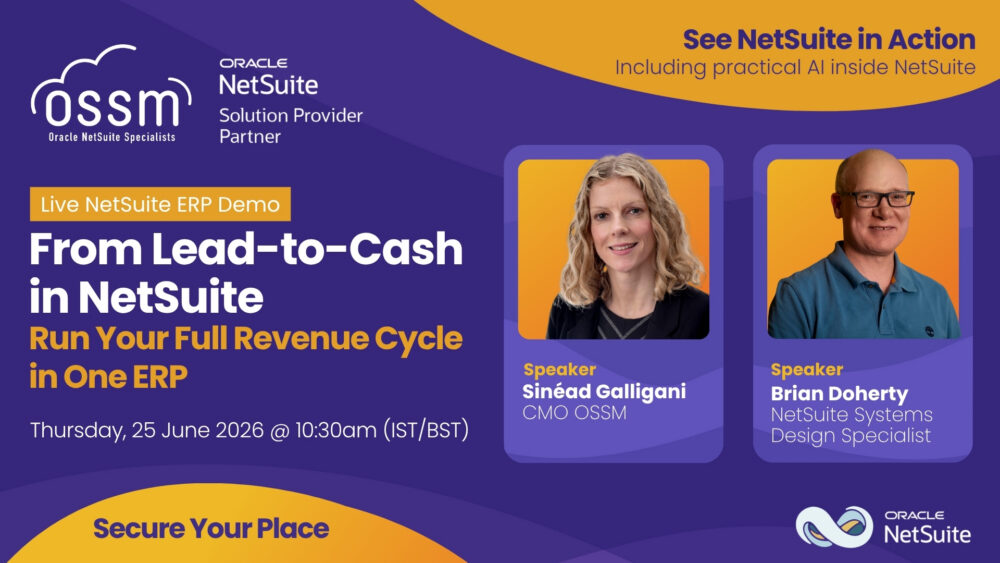
To see these capabilities in action, join our live From Lead-to-Cash in NetSuite demo on 25 June 2026, where we’ll show how AI, automation, and real-time visibility support the entire revenue cycle within a single ERP platform.

About the Author

Picture of David Burke

David Burke

David Burke, Group CTO at The Noledge Group, leads the company’s technology strategy and oversees the design and delivery of both bespoke and off-the-shelf solutions. He is responsible for driving innovation across the Group’s product and service portfolio, ensuring customers benefit from scalable, future-ready cloud technologies.

Cloud computing concept with laptop and tablet showing cloud ERP software dashboard for growing small businesses

The Best Cloud Based ERP Software for Growing Businesses

Cloud computing concept with laptop and tablet showing cloud ERP software dashboard for growing small businesses

Growth is exciting, but it also has a way of exposing the cracks in the systems that once worked well. 

When a business is small, it’s usually manageable to work across a few different systems and spreadsheets. Finance lives in one place, stock somewhere else, reporting in Excel, and approvals happen through endless email chains. It’s not always efficient, but it works well enough. 

Then the business grows. 

Suddenly, reports take longer to prepare, teams are entering the same information multiple times, and it becomes harder to get a clear picture of what’s actually happening across the business. 

This is usually when businesses start looking at the best cloud-based ERP solutions. 

The conversation isn’t about wanting more software, but about wanting less friction, manual work, disconnected information, time spent chasing updates and fixing errors.

Why growing businesses often outgrow entry-level software

Most businesses don’t start needing ERP. 

Entry-level accounting software can handle day-to-day financial tasks well in the early stages. But growth changes things: more customers, more transactions, more products, more people and more complexity naturally put pressure on the systems underneath the business. 

What often happens is teams begin creating workarounds. A spreadsheet gets added to track stock more accurately, someone builds a manual report for meetings, and approvals happen through emails because the system can’t handle them properly. 

None of these processes feel like a major problem on their own. But over time, they create extra admin, delays and frustration across the business. 

This is why many organisations start looking for the best ERP for small business growth. They need systems that can keep up with the business without making everything feel more complicated.

Reducing the admin that slows businesses down

One of the biggest frustrations in growing businesses is how much time gets lost to unnecessary admin. Re-entering data, updating spreadsheets, chasing approvals, moving information between systems, and creating reports manually every month. 

Individually, these tasks don’t seem huge. Together, they can take up a surprising amount of time across the business. 

Cloud ERP helps reduce a lot of that pressure by connecting processes and automating repetitive tasks where it makes sense. 

The goal isn’t to remove people from the process. It’s to give them better tools and easier access to information. 

That means finance teams can focus more on analysis instead of admin. Managers can make decisions faster. Operations teams can plan confidently. And CEOs can spend less time chasing updates across different departments. 

What is the best cloud ERP solution?

Honestly, there isn’t one single answer. 

The right ERP depends entirely on the business itself. An ecommerce company will have different priorities from a wholesale distributor or a professional services firm. 

That’s why choosing ERP software usually starts with understanding where the current systems are causing friction. 

Maybe reporting takes too long, inventory is difficult to track accurately, teams are constantly duplicating work across systems, or CEOs don’t have enough visibility into performance. 

Once those problems become clear, it’s easier to evaluate ERP software properly. 

Because ultimately, the best cloud-based ERP comes down to finding a system that supports the way your business works now while giving you room to grow later. 

Why connected systems matter as businesses grow

When systems don’t speak to each other properly, teams often end up manually transferring information between platforms. That creates extra admin and increases the risk of errors. 

NetSuite is designed to connect finance, CRM, inventory, order management and wider operations within one cloud-based system. Instead of relying on multiple disconnected tools, businesses can manage more of their processes from a single platform. 

Growth is rarely predictable. Businesses evolve, add new products, expand into new markets and change how teams operate over time. The right ERP platform should be flexible enough to support those changes without creating unnecessary disruption.

Choosing ERP software for long-term growth 

ERP isn’t just a technology decision. It’s about creating a stronger operational foundation for the future of the business. 

The businesses that get the most value from an ERP are usually the ones that take the time to understand their current challenges before choosing a solution. 

At OSSM, we work with businesses to understand where their existing systems may be slowing them down and how cloud ERP could support the next stage of growth. 

For organisations comparing the best ERP for small business growth, the focus shouldn’t simply be on features or functionality. It should be on finding software that makes the business easier to manage, gives teams better visibility and creates more confidence for future growth.

If you’re comparing the best cloud ERP systems or want to understand if NetSuite is the right fit, speak to our team today. 

About the Author

Picture of Kerusha Govender

Kerusha Govender

Kerusha is a Sales Account Executive at OSSM with extensive experience in enterprise technology and business solutions. Throughout her career, she has held senior roles with leading global technology organisations, including LinkedIn, Sage, SAP, Oracle, and IBM. Drawing on her expertise in ERP, HR, payroll, and cloud technologies, she works closely with businesses to support digital transformation and sustainable growth through OSSM and NetSuite solutions.

Female warehouse worker using a laptop to manage ERP operations

To Customise or Not to Customise: Making the Right Choice for your ERP System

Female warehouse worker using a laptop to manage ERP operations

Selecting an ERP system is a major milestone for any organisation, but the real uncertainty often begins when the topic of customisation comes up. Because there’s no universal solution that fits every business perfectly, success tends to come from striking the right balance between adaptability and keeping things straightforward.

In this article, we look at when ERP customisation genuinely adds value, and how to approach it in a way that supports your current operations while still leaving room for future growth.

Understanding your core ERP system’s strengths

Cloud ERP platforms are designed to unify essential business processes within a single system. Solutions like NetSuite bring together financial management, CRM, inventory control, procurement, and reporting into one connected environment, giving businesses a clearer, more consistent view of operations.

A key advantage of modern ERP systems is their built-in flexibility. They’re built with growth in mind, meaning they can evolve as your processes and organisational needs change. For many businesses, the standard functionality already covers a wide range of requirements without needing major adjustments.

With NetSuite, the cloud-based model also means users benefit from biannual automatic updates. These updates introduce new features, performance enhancements, and security improvements without disruption or heavy technical effort. As a result, businesses continue to benefit from innovation regardless of how their system is configured.

That said, every organisation operates differently, which is where customisation becomes a relevant consideration.

Where customisation adds value

From working with NetSuite implementations, we’ve seen that customisation can be highly effective when a business has specific operational needs that go beyond what’s available out of the box. When applied thoughtfully, it can improve efficiency and better align the system with day-to-day workflows.

Common areas where it delivers real value include:

Tailored processes

Customisation allows the system to reflect how your business actually works. From adapting approval flows to creating new modules, you can shape the ERP around your processes rather than adjusting your operations to fit the software.

More relevant reporting and insights

A tailored setup can improve the quality of decision-making data. Dashboards, reports, and data structures can be adjusted to focus on what matters most to your business.

Greater operational efficiency

When systems align closely with real workflows, teams spend less time finding workarounds. This helps reduce manual effort and supports smoother day-to-day operations.

Reduced reliance on multiple tools

A well-configured NetSuite environment can reduce the need for separate, disconnected systems, helping to consolidate tools and potentially reduce overall software costs.

The customisation balancing act

Historically, ERP customisation has been a double-edged sword. While it allowed businesses to tailor systems to their needs, it also led many to create overly complex environments that were difficult to maintain and expensive to upgrade. This often resulted in what’s known as “technical debt,” which can still cause challenges today if systems are customised too heavily too soon.

However, avoiding customisation altogether isn’t always the answer either. Forcing unique business processes into rigid standard structures can lead teams back to spreadsheets, manual processes, or disconnected tools, undermining the purpose of an ERP system in the first place.

When should you customise?

As with all ERP project implementations, the key is to identify the level of flexibility your business truly needs, both now and in the future. It’s not about choosing between fully standard or fully customised systems, but about finding the right middle ground that keeps operations efficient without unnecessary complexity.

A practical approach usually looks like this:

  • Begin by exploring what the ERP system already offers out of the box
  • Identify real gaps that impact performance, efficiency, or visibility
  • Apply targeted customisation only where there is clear, measurable value
  • Avoid adding complexity that could create long-term maintenance challenges

Because NetSuite is built as a scalable cloud ERP platform, it supports this incremental approach. Businesses can evolve their systems over time, adding enhancements as requirements change without compromising the stability of the core platform.

Just as importantly, NetSuite’s regular update cycle ensures that even customised environments continue to benefit from ongoing innovation, keeping the system aligned with modern capabilities.

Making the right decision for your business

There’s no single approach to ERP customisation that works for everyone. Some businesses will find that standard functionality meets most of their needs, while others will benefit from a more tailored configuration to unlock greater efficiency and insight.

What matters most is taking a considered, strategic view. Rather than defaulting to full customisation or avoiding it completely, focus on building a system that reflects how your business operates today, while remaining flexible enough to evolve over time.

When handled carefully, customisation can enhance an ERP system without adding unnecessary complexity, helping businesses get more value from their investment over the long term.

If you’re exploring NetSuite or reviewing your current ERP setup, taking a closer look at where customisation genuinely adds value can make a real difference, both at implementation and as your business grows. Reach out to our experts today. 

About the Author

Picture of Brian Doherty

Brian Doherty

Brian is an experienced Solution Consultant with deep expertise in the ERP software industry, having worked with NetSuite solutions since 2013. Prior to that, he supported and implemented Sage finance and ERP systems. Over the years, Brian has successfully project managed, implemented, and supported NetSuite across a range of industries. He brings a strong focus to business process analysis, working closely with customers to align solutions with their specific needs and objectives.

Technicians identifying and repairing engine issues using manufacturing software systems

10 Reasons Manufacturing Businesses Need Better Operational Visibility

Technicians identifying and repairing engine issues using manufacturing software systems

Manufacturing has always been complex, but in recent years, the challenges have intensified. Continued supply chain disruption, increasing energy costs, skills shortages, and rising customer expectations are placing pressure on every area of the business.

To maintain margins and meet delivery commitments, manufacturers need a clear, real-time view across production, inventory, procurement, and finance. Without that visibility, decision-making slows down, risks increase, and opportunities are often missed.

This is where modern manufacturing software systems come into play. Below are ten reasons why operational visibility is now critical for manufacturers in 2026 and beyond.

1. Respond faster to supply chain disruption

Supplier delays and unpredictable lead times have become the norm. When information is spread across spreadsheets and disconnected systems, issues are often identified too late.

By bringing data together in one place, teams can spot risks earlier, adjust production schedules, or find alternative suppliers before problems escalate. This enables proactive decision-making rather than reactive fixes.

2. Take control of rising operational costs

Energy, labour, and material costs continue to rise, but without visibility, it’s difficult to pinpoint where margins are being impacted.

Access to real-time cost data allows manufacturers to assess profitability by product, production line, or customer. With shared insights across departments, decisions around pricing, sourcing, and efficiency can be made with greater confidence.

3. Reduce stockouts and excess inventory

Holding too much inventory ties up valuable cash, while too little can halt production. Finding the right balance is challenging without accurate, up-to-date information.

Modern systems provide real-time visibility across inventory locations, along with forecasting tools and automated reorder points. This helps ensure key materials are available without overstocking slower-moving items.

4. Improve delivery performance

Customers expect dependable delivery timelines and are less tolerant of delays.

When production, procurement, and order management are connected, businesses can provide realistic delivery dates and monitor progress in real time. If issues arise, they can be addressed early, with clear communication rather than last-minute disruptions.

5. Align sales promises with operational reality

Sales teams aim to meet customer demands, but without visibility into stock levels and production capacity, overpromising can happen.

With access to shared, real-time data, sales teams can provide accurate lead times based on actual availability. This improves internal alignment, supports better planning, and strengthens customer relationships.

6. Get a clear view of profitability

It’s not unusual for manufacturers to find that their highest-selling products are not the most profitable.

When costs, discounts, and overheads are spread across multiple systems, gaining a true understanding of profitability becomes difficult. A single, connected view of financial and operational data makes it easier to analyse performance and focus on the areas that drive value.

7. Support growth with reliable data

Growth requires accurate and timely information. When reporting is manual or inconsistent, it becomes difficult to measure performance or assess the impact of changes.

By centralising data, manufacturers can track KPIs daily or in real time. This allows teams to quickly identify what’s working, where improvements are needed, and how to adapt.

8. Manage compliance with confidence

For manufacturers operating in regulated sectors, traceability is essential.

Disconnected systems and manual processes can make audits and recalls complex and time-consuming. With end-to-end visibility, businesses can track materials and products throughout their lifecycle, making compliance more efficient and less stressful.

9. Empower teams with real-time insights

Operational visibility shouldn’t sit solely with senior leadership. Teams across the organisation, from the shop floor to finance, benefit from access to accurate, real-time data.

Role-based dashboards ensure employees can focus on the information most relevant to their role. This enables better decision-making at every level and encourages greater ownership of outcomes.

10. Make faster, more informed decisions

Ultimately, operational visibility supports stronger decision-making.

Whether investing in new equipment, expanding into new markets, or reviewing supplier strategies, reliable data is essential. By connecting production, inventory, sales, and financial information, NetSuite provides a single source of truth, enabling faster and more confident strategic decisions.

How NetSuite delivers operational visibility

Every manufacturing business is different, but the need for visibility is consistent. While spreadsheets and disconnected tools may work in the early stages, they quickly become limiting as operations grow more complex.

NetSuite ERP brings your data together into one central system, presenting it in a way that supports both day-to-day operations and long-term planning. With the right implementation, it delivers a level of insight that standalone systems struggle to match.

If you’re exploring manufacturing software systems or looking to improve your current setup, it’s worth asking:

Where are you currently lacking visibility, and what decisions could be improved with real-time insight?

If you’d like to see how NetSuite can support your manufacturing operations, get in touch with the team at OSSM.

About the Author

Picture of Rob Van Der Velden

Rob Van Der Velden

Rob Van Der Velden is a Consultant at OSSM, specialising in NetSuite implementation project management. He oversees the entire process from pre-sales to training, with expertise in Manufacturing, Project Management, Service Management, CRM, and Distribution & Warehouse Management. Rob excels in workshops, process definition, data migration, customisation, and change management, providing strategic guidance to optimise business processes.


Young woman working in a warehouse using NetSuite to manage inventory and operations

AI Across NetSuite: Lessons from the Front Line of ERP Innovation

Young woman working in a warehouse using NetSuite to manage inventory and operations

AI in ERP isn’t something on the horizon anymore – it’s already here, embedded into the core of platforms like NetSuite. And according to Brian, our NetSuite Systems Design Specialist at OSSM, this shift is fundamentally changing what businesses should expect from their systems. 

Put simply, NetSuite is no longer just a system of record. It’s becoming a system that helps you decide what to do next. 

From our recent panel discussion, Brian shared practical insights into what AI in NetSuite ERP actually looks like today, and where it’s heading next. 

From record-keeping to real-time decision making 

Traditionally, ERP systems have been great at storing data. You input transactions, run reports, and use that information to understand what’s already happened. 

But that model is changing. 

As Brian explained, ERP is evolving into something far more strategic: a system that actively advises the organisation, rather than just recording activity. This is one of the most important NetSuite ERP benefits – moving from reactive reporting to real-time, forward-looking insight. 

With AI embedded across the suite, NetSuite ERP can now analyse data as it flows through the system, helping businesses respond faster and make better decisions in the moment. 

What AI in NetSuite looks like today 

There’s a lot of noise around AI, so it’s worth cutting through the hype and focusing on what’s already available within NetSuite today. 

From Brian’s perspective, the value comes down to a few key capabilities: 

  • Real-time decision support 
    Machine learning is already embedded into NetSuite ERP, identifying anomalies and exceptions as they happen. Instead of discovering issues weeks later, teams can address them immediately. 
  • Automation of manual processes 
    Tasks like invoice processing and inventory reconciliation – once heavily reliant on spreadsheets and manual checks, can now be handled automatically. This reduces errors and frees up time across finance and operations. 
  • Forecasting and predictive insights 
    AI is being used to support forecasting and trend analysis, helping businesses anticipate what’s coming next rather than just reviewing past performance. 
  • Natural language interaction and reporting 
    With tools like Copilot, users can ask questions in plain language and generate reports or summaries instantly. This lowers the barrier to accessing insights across the business. 

As Brian put it during the session, there’s already “a lot of stuff” available – and it’s delivering real value today, not sitting on a future roadmap. 

AI across the entire NetSuite environment 

One of the biggest advantages of NetSuite is that AI isn’t confined to a single module – it’s embedded across the entire platform. 

This means: 

  • Finance teams can access real-time insights, automate reconciliations, and move closer to continuous close processes  
  • Operations teams can identify bottlenecks and act on AI-driven recommendations faster  
  • Customer-facing teams benefit from a more complete, data-driven view of customers and interactions  

For most businesses, this is where the real transformation happens. AI becomes part of everyday workflows – not a separate tool that teams have to learn or remember to use.

Where AI in NetSuite is heading next 

While current capabilities are already making an impact, the direction of travel is just as important. 

According to Brian, we’re moving beyond AI as a “copilot” and towards more autonomous automation – where systems don’t just suggest actions but begin to execute them with minimal oversight. 

In practical terms, this could mean: 

  • Financial period-end becoming a continuous process rather than a high-pressure monthly event  
  • AI highlighting unusual data and preparing reports automatically  
  • Workflows running with greater accuracy and fewer delays, without constant manual intervention  

This evolution reinforces one of the key NetSuite ERP benefits: giving businesses the ability to operate in real time, with greater confidence and control.

The reality check: Data, governance and change  

Of course, none of this works without the right foundations in place. 

One of Brian’s key points was simple but critical: poor data quality leads to poor AI outcomes. If your data is inconsistent or incomplete, the insights generated by AI won’t be reliable. 

There are also important considerations around governance. As AI becomes more embedded, businesses need to understand how data is being used, who has access to it, and how outputs are generated. 

Then there’s the human side. 

AI will change how teams work. Finance professionals who once focused on manual reconciliations may shift towards reviewing exceptions and analysing trends. Other users will interact with NetSuite in new ways, using natural language instead of navigating complex menus. 

This makes training and change management essential. Teams need to understand not just how to use AI, but how their roles are evolving alongside it.

Taking a practical approach to AI in NetSuite   

With so much happening in this space, it’s easy to feel overwhelmed. But the most effective approach is often the simplest. 

Start by understanding what’s already available within your NetSuite ERP environment. Many businesses already have access to AI-driven features that can deliver immediate value. 

Next, focus on outcomes. Whether it’s improving forecast accuracy, speeding up processes, or gaining better visibility, AI should be tied to clear business objectives. 

Finally, make sure your foundations are in place. Clean data, clear governance, and proper training will make all the difference in how successfully AI is adopted. 

Why the right NetSuite partner matters 

As AI continues to evolve across NetSuite, having the right partner becomes increasingly important. 

At OSSM, we work closely with our customers to understand what NetSuite can deliver today, what’s coming next, and how to adopt AI in a way that makes sense for their business. From implementation to optimisation, the goal is to ensure your NetSuite ERP environment is set up to take full advantage of these capabilities as they develop. 

Want to see what this looks like in practice? 

If you’d like to see how AI is shaping NetSuite in real-world scenarios, get in touch with our team at sales@ossmcloud.ie today. 

About the Author

Picture of Roger Gribbin

Roger Gribbin

Roger Gribbin is an IT professional with over 25 years of experience in various roles, involving assisting customers with selection projects for ERP, CRM, and BI, as well as hands-on implementation and project management in medium-sized organisations in Ireland. He currently serves as the Sales Director for the Noledge Group.

Foreman using a tablet, showing the best field service management software for small business

Using Field Service Management Software to Take Control of Your Inventory

Foreman using a tablet, showing the best field service management software for small business

When you run a field service operation, inventory issues aren’t uncommon. Engineers can arrive without the right part, stockouts can lead to last-minute calls to the wholesaler, and vans can carry thousands of pounds of stock with no visibility. These everyday problems don’t just frustrate customers; they slow your teams down and eat into already tight margins.  

field service management tool helps you organise the chaos. When service, office and warehouse teams are all working from the same live view of stock, it becomes much easier to plan jobs around real availability, deliver firsttime fixes, and make confident decisions about operations. Over time, this joined-up approach to inventory reduces avoidable costs, improves customer experience, and helps scale operations without losing control. 

Why is inventory a challenge in field service?

Inventory in a field service business is rarely sitting neatly on a warehouse shelf. Parts are spread across regional depots, technician vans, and, in some cases, customer sites. Without the best field service management software in place, it’s common to see: 

 Guesswork around what stock is in each vehicle or location 

 Extra call-outs because the right part wasn’t available on the first visit 

 Ordering ‘just in case’ stock that ties up working capital 

 Discrepancies between what teams think is available and what’s actually there 

A modern field service management tool integrated with your core systems provides the visibility you desperately need, so you can take control of both inventory and service performance. 

How field service management tools support inventory control 

Field service software links jobs, parts, and people into a single workflow. Instead of being an afterthought, inventory management becomes part of every stage of the service process. The best field service management and scheduling software platform will help you to: 

 Track stock across warehouses, vans, and other locations, so teams can see what is genuinely available before assigning jobs 

 Reserve or allocate parts for specific jobs to reduce the risk that a technician arrives on-site without the necessary parts 

 Record parts usage from the field via mobile access, updating inventory levels immediately rather than relying on endofday paperwork 

 Trigger replenishments when van or warehouse stock falls below agreed levels to maintain a consistent supply of essential items 

By integrating the right software solutions into everyday workflows, field service management tools help you maintain a more accurate view of your inventory and its current location, and improve job scheduling to support customer satisfaction. 

Improving customer service through better inventory 

Inventory control isn’t only a finance problem; it has a direct impact on the experience your customers receive. When technicians have the right parts in their vans and can see accurate stock levels while on-site, customers receive faster resolutions, fewer disruptions, and clearer communication. A wellimplemented field service management software also supports: 

 More reliable appointments, as teams can schedule jobs for technicians who have both the right skills and the right stock 

 Proactive maintenance, using service history and asset data to plan work before failures occur, with parts reserved ahead of time 

 Clearer billing, as parts used on a job are recorded immediately and go through to invoicing without rekeying, improving cash flow 

For customers, this translates into improved service and longerterm relationships. For your teams, this means fewer emergency calls, and a more predictable workday. 

What to look for in field service management software  

When choosing the best field service management software for your organisation, it’s essential to look beyond feature lists and focus on how well it will support day-to-day operations. Key considerations include: 

 Integration with software like ERP: Does the system connect directly to your core systems, so that stock movements, costs, and valuations stay aligned? 

 Easy tracking: Can you see stock by warehouse, vehicle, and technician, and track serial or batch numbers where needed for warranty and compliance? 

 Mobile app: Is it easy for technicians to check availability and update work orders from the field, even when connectivity is limited? 

 Scheduling intelligence: Does the field service management and scheduling software consider both skills and part availability when allocating jobs, not just calendar space? 

 Reporting and alerts: Can you monitor indicators like firsttime fix rate, van stock accuracy, and slowmoving items, with alerts when thresholds are breached? 

Assessing tools in this way helps you identify solutions that genuinely support inventory control and service quality, rather than just digitising existing paperwork.

Field service management software for growing businesses  

Smaller and growing organisations often struggle with inventory control more than larger businesses. They need to deliver a professional service, but might not have dedicated inventory managers or large warehouses. Choosing the best field service management software for small businesses can provide structure and control without adding unnecessary complexity.  

Cloudbased tools are particularly helpful here, as they remove the need for heavy infrastructure investments. They also provide built-in best practices for scheduling, inventory management, and customer communication. Since they are scalable, you can even add more technicians, regions, or service lines, preventing the need to re-platform as you grow.  

By starting with a field service management software that’s tightly integrated with core systems, smaller businesses can build robust inventory processes early, rather than relying on spreadsheets and manual checks that become harder to manage over time. 

Bringing inventory management and customer service together

Ultimately, effective inventory management and strong customer service in field operations are two sides of the same coin. When your field service management software gives everyone a single, accurate view of stock and jobs, you are in a better position to provide faster resolutions, reduce repeat visits, and achieve healthier margins. 

For organisations that want to take control of inventory in 2026 and beyond, reviewing how your current systems support (or hinder) the connection between field and back office is a good place to start. If you would like expert guidance on improving your operations, our team is here to help. Get in touch today to design and implement connected field service management solutions that help you move from firefighting to a more controlled, datadriven way of operating.  

We offer NetSuite Field Service Management, bringing inventory, scheduling, finance and customer data together in one unified platform – strengthening the link between field and back office while giving your teams the visibility and control needed to deliver faster service and stronger margins. 

About the Author

Picture of Naren Sompalli

Naren Sompalli

Naren holds a Bachelor of Engineering degree from BNM Institute of Technology. As a NetSuite specialist, he is involved in implementation at OSSM, collaborating with a team of experienced consultants. Naren conducts workshops for solution implementation and delivery, providing technical support and expertise.

Close-up of laptop with creative AI brain circuits showing NetSuite ERP embedded intelligence

AI vs Copilots: What Matters for Organisations in 2026, and How NetSuite Stands Out

Close-up of laptop with creative AI brain circuits showing NetSuite ERP embedded intelligence

AI is one of the most talked-about technologies in business today. The real test in 2026, however, is whether it can move beyond pilots and proofs of concept to become a dependable part of everyday operations. For organisations looking to adopt AI at scale, the key is embedding it into the systems and workflows they use every day, rather than treating it as a separate tool. 

NetSuite ERP is designed precisely for this shift: from experimentation to execution. Rather than positioning AI as a standalone copilot or add-on, NetSuite embeds intelligence directly into workflows, making real-time insights, automation, and anomaly detection available exactly where work happens. This integration allows teams to act on data without leaving the system, turning AI from a concept into operational reality. 

AI, Copilots, and Embedded Intelligence 

To understand how AI can be applied effectively, it helps to distinguish three broad categories: 

  • General-purpose AI 
    Typically accessed through public tools, general-purpose AI is useful for idea generation and drafting content but is rarely integrated into ERP workflows within a secure, governed environment. 
  • Copilots 
    These digital assistants support everyday tasks by providing answers, automating actions, and offering contextual insights. They often sit on top of systems rather than being embedded in core processes. 
  • Embedded intelligence 
    AI woven directly into software and workflows enables systems to learn, adapt, and make decisions without constant external input, delivering outcomes in real time. 

NetSuite spans all these categories, but it particularly stands out for embedded intelligence. Ask Oracle, the natural language assistant in NetSuite, allows users to search, navigate, analyse, and act using plain language while staying fully within the ERP context. It provides context-aware answers and reasoning that explain the “how” and “why” behind every response, making collaboration with NetSuite seamless. 

This approach differs from standalone copilots that focus mainly on answers or content. With NetSuite ERP, AI becomes a part of everyday work. Wherever you are in the ERP system or whatever task you’re performing, Ask Oracle is there to assist, providing guidance and insights in real time. 

What really matters in 2026 

For leadership teams, the conversation has shifted from “should we use AI?” to “where can AI create repeatable value in our business?” The emphasis is now on defining clear, practical use cases that link directly to measurable outcomes, such as faster month-end close cycles and improved forecast accuracy. 

To deliver meaningful impact, AI must scale beyond individual productivity tools. It needs to be embedded into the systems that already underpin operational and financial control. When core workflows benefit from embedded intelligence, it can significantly enhance operational efficiency across the organisation. 

At the same time, responsible adoption is essential. Governance, security, and data integrity cannot be afterthoughts when AI influences decisions affecting cash flow, inventory, or compliance. NetSuite’s AI capabilities run on Oracle Cloud Infrastructure, providing enterprise-grade performance, security, and resilience, while operating within existing workflows to ensure actions remain within predefined boundaries. 

How NetSuite approaches AI 

NetSuite’s AI strategy starts with a strong foundation: a unified suite, deep industry functionality, and a scalable cloud platform. By bringing financials, CRM, eCommerce, and more into a single system, NetSuite provides a single source of truth for data – an essential prerequisite for actionable AI. 

Building on this foundation, NetSuite delivers practical, workflow-based intelligence rather than standalone copilots, helping teams achieve more in their day-to-day operations. Examples include: 

  • • Exception Management – Continuously scans financial data for anomalies and suggests corrective actions, helping mitigate risk 
  • • Narrative Reporting – Generates narratives, explanations, and visuals from financial and operational data, speeding up analysis and communication 

Beyond assisting with routine tasks, NetSuite AI also acts as an advisor, providing insights and analysis to support informed decision-making: 

  • • NetSuite Planning and Budgeting – Uses AI to identify patterns, trends, and anomalies in datasets, helping finance teams understand the “why” behind numbers 
  • • NetSuite Analytics Warehouse – Employs AI for data discovery, highlighting opportunities and key revenue drivers, supporting decision-making across the organisation 

NetSuite ERP benefits and how OSSM can help 

For organisations evaluating NetSuite ERP benefits, AI is a real differentiator. Embedded directly into the ERP software, it supports finance, operations, planning, and reporting, reducing manual workloads, strengthening control, and enabling teams to make proactive, data-driven decisions. This kind of embedded intelligence can directly improve performance, efficiency, and margins. 

Partnering with experienced NetSuite consulting partners is critical to unlocking these benefits. As a leading NetSuite Solution Provider in Ireland, OSSM specialises in ERP implementations, support, and development. Our team can help design practical AI use cases, configure workflows, and extend NetSuite with industry-specific functionality, ensuring AI aligns with real business processes. 

If your organisation is ready to move from AI experimentation to execution, NetSuite is built for the shift. Speak to our experts to explore how embedded intelligence can enhance efficiency, improve decision-making, and transform your operations. 

About the Author

Picture of Brian Doherty

Brian Doherty

Brian is an experienced Solution Consultant with deep expertise in the ERP software industry, having worked with NetSuite solutions since 2013. Prior to that, he supported and implemented Sage finance and ERP systems. Over the years, Brian has successfully project managed, implemented, and supported NetSuite across a range of industries. He brings a strong focus to business process analysis, working closely with customers to align solutions with their specific needs and objectives.

Business team discussing work over a laptop in a modern office.

13 Essential Ways NetSuite Empowers Modern Leaders to Accelerate Growth

Business team discussing work over a laptop in a modern office.

Irish business leaders are under more pressure than ever to achieve more with fewer resources – making quick decisions, managing rising complexity, and staying resilient in a market that seems to constantly shift. To stay competitive, leaders need clearer visibility, intelligent automation, and technology that keeps the organisation moving forward rather than slowing it down.

NetSuite’s cloud-first ERP is designed with these realities in mind. It replaces disconnected systems, spreadsheets, and manual workarounds with one unified, real-time platform. The result? Stronger strategic insight, better operational control, and a scalable foundation for long-term growth.

Below are 13 essential ways NetSuite equips modern leaders to enhance performance, strengthen oversight, and support sustainable success.

1. A single source of truth for confident decision-making

Unreliable, inconsistent, or delayed data is one of the biggest barriers to effective leadership. NetSuite brings financials, operations, sales, inventory, projects, and performance metrics together in one central system.

Leaders no longer need to reconcile conflicting reports, they have accurate, up-to-date information whenever they need it.

Why it matters for leaders:
Better decisions, faster reactions, and fewer unexpected issues.

2. Real-time financial visibility across the organisation 

CFOs and leadership teams gain instant insight into budgets, forecasts, margins, cash flow, and profitability. Automated reporting removes manual consolidation and surfaces insights through real-time dashboards.

Leadership impact:
A stronger strategic overview and the ability to intervene before small issues become big ones.

3. Automates manual work and boosts productivity

Tasks such as approvals, reconciliations, invoicing, reporting, and allocations take valuable time away from strategic work. NetSuite’s automation and AI tools speeds up these activities so teams can focus on what drives value.

Leadership impact:
Increased efficiency, reduced costs, and teams with more time to innovate.

4. Builds scalable processes that grow with you

Expanding organisations often hit system limitations before they realise it. NetSuite scales effortlessly – whether you’re adding new product lines, locations, teams, or subsidiaries.

Leadership impact:
A platform that supports growth instead of working against it.

5. Improves forecasting with AI and predictive insights

With predictive analytics, scenario modelling, and AI-powered guidance through tools like NetSuite Copilot, leaders can plan with greater accuracy. These capabilities highlight potential opportunities and risks well in advance.

Leadership impact:
More reliable planning, reduced uncertainty, and the ability to act proactively.

6. Reduces operational risk

Stronger controls mean fewer errors and clearer processes. NetSuite provides secure access controls, audit trails, approval workflows, automated checks, and consistent policies across the organisation.

Leadership impact:
Better compliance, reduced risk, and complete confidence in financial and operational data.

7. Delivers seamless multi-entity, multi-currency management

For Irish organisations operating across regions or managing multiple entities, NetSuite centralises operations while supporting local tax and compliance needs. Real-time roll-ups make consolidations effortless.

Leadership impact:
No more stressful month-end consolidations, global results are available instantly.

8. Improves customer experience with connected processes

When finance, sales, service, inventory, and fulfilment all run on one platform, customers see the benefits immediately. Orders move quickly, service teams respond faster, and leaders can identify process bottlenecks with ease.

Leadership impact:
Better customer experiences and stronger loyalty.

9. Supports hybrid and distributed teams with cloud-native access

Modern teams need flexibility to work from any location. NetSuite’s cloud-native design enables secure, remote access for all users, allowing smooth collaboration and uninterrupted workflows.

Leadership impact:
Higher productivity and operational continuity across remote, hybrid, or multi-site teams.

10. Provides complete inventory and supply chain visibility

For leaders in manufacturing, distribution, and services, clear visibility across the supply chain is essential. NetSuite provides insights into stock availability, demand levels, fulfilment, supplier performance, and more.

Leadership impact:
Improved resilience, fewer stock issues, and better management of working capital.

11. Fast, accurate reporting without manual workarounds

Preparing board packs, KPI reports, and monthly updates can be time-consuming. NetSuite automates reporting using live data, ensuring accuracy, version control, and significantly shorter turnaround times.

Leadership impact:
Reliable, ready-to-present information delivered in minutes.

12. A flexible platform that adapts to your business model

As the organisation evolves, NetSuite’s modular design allows new capabilities to be added at any time, from CRM and warehousing to advanced financials, planning tools, project management, and subscriptions.

Leadership impact:
A future-ready platform that evolves alongside your strategy.

13. Partner ecosystem & industry expertise that accelerates ROI

The impact of NetSuite increases when supported by the right implementation partner. OSSM brings years of experience, industry knowledge, optimisation insights, and integration expertise to help organisations get the most from their system.

Leadership impact:
Faster adoption, smoother implementation, and a solution aligned with long-term goals.

Empower your leadership strategy with NetSuite

Modern leadership requires strong visibility, agility, and technology that supports continuous improvement. NetSuite brings performance, analytics, and operations together in one unified platform – helping leaders respond faster, plan smarter, and achieve stronger results.

OSSM works with organisations to unlock the full value of NetSuite, from initial consultation through implementation, optimisation, and ongoing support.

If you’re ready to explore how NetSuite can support better decision-making and accelerate growth, our team is ready to help. Contact us today.

About the Author

Picture of Sinéad Galligani

Sinéad Galligani

Sinéad has been involved in the software industry, particularly in ERP, for over 25 years. Her career has spanned various roles, including Account Management, Key Account Management, and Business Development. In 2013, she became the Marketing Manager for The Noledge Group and now serves as the Chief Marketing Officer (CMO).

Young engineer working on software while reviewing cloud ERP migration plans

Why Now Is the Time to Move from On-Premises ERP to NetSuite

Young engineer working on software while reviewing cloud ERP migration plans

As more organisations accelerate digital transformation, one challenge sits front and centre: how to modernise systems and data while keeping day-to-day operations moving? For many, the biggest roadblock is an ageing on-premises ERP system that no longer supports today’s pace of work. 

Cloud migration presents an opportunity to rethink not only infrastructure but also how data is managed, secured, and used across the business. Moving to a cloud-first ERP such as NetSuite ERP allows organisations to adopt smarter, more flexible architecture while improving the reliability of core operational data. 

Modernising an ERP system and modernising data strategy go hand-in-hand. The shift to the cloud enables teams to reduce complexity, work more collaboratively, and make decisions based on real-time insights rather than outdated reports or manual workarounds. 

Yet many businesses find it difficult to maintain control over their data as operations spread across multiple systems, locations, and departments. Legacy architecture amplifies this challenge, especially when servers, patches, and upgrades depend on limited in-house resources. By aligning cloud migration with data modernisation, organisations can build a more resilient, secure, and scalable foundation for long-term growth. 

Below, we’ve outlined practical steps and considerations for organisations that want to evolve beyond on-premises systems and unlock the benefits of NetSuite ERP with support from experienced NetSuite consulting partners. 

1. Map and assess your current ERP and data landscape 

Most organisations running on-premises ERP solutions have accumulated complex environments over many years. Data lives across spreadsheets, shared drives, disconnected applications, and manual processes. Before any cloud migration begins, it’s crucial to understand: 

  • What data you currently collect and store 
  • Where that data sits, including servers, file shares, and external tools 
  • How frequently information is accessed or updated 
  • Which integrations or reports are business-critical 
  • Where data duplication or errors occur 

By mapping current systems and data flows, organisations gain clarity on what must move to the cloud, what can be retired, and where process improvements are needed. This is a key first step in reducing the long-term risk of staying on-premises. 

2. Define a governance framework fit for cloud ERP 

Security and compliance remain top priorities, particularly for businesses handling sensitive financial, customer, or operational data. On-premises ERP often falls short because security depends heavily on internal IT teams, who may be stretched thin. 

A strong governance framework ensures that the move to cloud ERP is safe, secure, and aligned with regulatory requirements. This framework typically includes: 

  • Clear data ownership and access controls 
  • Standards for data retention, storage, and archiving 
  • Policies for handling personally identifiable information 
  • Processes for ensuring ongoing compliance 
  • Structures for monitoring security in real time 

With NetSuite ERP, governance becomes easier to maintain because the platform includes enterprise-grade security, continuous monitoring, and regular automatic updates. This reduces reliance on manual processes and ensures the system stays protected against new threats. 

3. Craft a cloud ERP migration strategy with clear priorities 

With data mapped and governance in place, organisations can begin structuring their migration approach. This is where partnering with experienced NetSuite consulting partners becomes invaluable, they help determine: 

  • Which modules or departments should move first 
  • How existing integrations will be replicated or improved 
  • What legacy processes need to be redesigned 
  • Where automation can replace manual tasks 
  • How data will be cleaned, migrated, and validated 

A phased strategy helps businesses maintain operations while progressively adopting NetSuite. Many organisations begin with finance, gaining immediate visibility through real-time dashboards, automated reporting, and accurate data. From there, they often scale into inventory, projects, CRM, and more. 

The key is balancing operational needs with compliance, security, and future innovation goals. The right migration path ensures a smooth transition while setting the stage for long-term digital growth. 

Why staying on-premises increases business risk  

While familiar, on-premises systems expose organisations to risks that become more significant each year: 

Security vulnerabilities 

Locally installed ERP systems depend on internal teams for updates and threat monitoring. Missed patches or ageing servers create gaps that modern cybercriminals can exploit. NetSuite’s cloud-based architecture provides continuous monitoring and enterprise-grade protection that is difficult to replicate in-house. 

High maintenance costs 

Hardware replacements, power usage, cooling, backup routines, testing, and upgrade cycles all contribute to rising costs. Over time, maintenance often becomes more expensive than migrating. 

Limited scalability 

Adding new users, teams, or entities can require hardware upgrades, VPN setups, or complex customisation. NetSuite allows businesses to scale instantly, without infrastructure projects. 

Declining performance and reliability 

As on-premises solutions age, slow screens, unreliable integrations, and delayed reporting become common. Cloud-based systems are built for continuous performance optimisation. 

These challenges explain why many ERP vendors are now sunsetting legacy products. Resources are shifting toward cloud platforms that support modern capabilities such as embedded AI, machine learning, and advanced analytics, features that older architecture simply cannot support. 

The advantages of cloud ERP    

NetSuite’s cloud-native design enables organisations to adopt new technologies without heavy infrastructure investments. Built-in automation reduces manual work, while analytics tools provide real-time visibility across finance, operations, and performance. 

Capabilities such as: 

  • AI-driven insights 
  • Predictive analytics 
  • Automated approvals and workflows 
  • Integrated dashboards 
  • Role-based reporting 

…help teams make better decisions faster. Cloud ERP also simplifies integration with third-party systems, including e-commerce, CRM, and specialist applications, helping businesses work more efficiently. 

Cloud ERP as a talent retention advantage     

Modern employees expect modern tools. Slow, outdated systems cause frustration, errors, and unnecessary admin work. NetSuite supports: 

  • Hybrid and remote working 
  • Secure access from any device 
  • Automated processes that reduce repetitive work 
  • Configurable dashboards tailored to each role 

This leads to higher satisfaction and stronger adoption, giving teams tools they feel confident using. 

Move to NetSuite ERP with OSSM    

Transitioning from an on-premises ERP system is ultimately an investment in agility, innovation, and long-term resilience. OSSM helps organisations migrate smoothly, modernise their data environment, and unlock the full value of NetSuite. 

If you’re still relying on spreadsheets, legacy systems, or disconnected tools, it might be time to explore what’s next. Take the checklist to see if your business is ready for a cloud ERP solution.

About the Author

Picture of Roger Gribbin

Roger Gribbin

Roger Gribbin is an IT professional with over 25 years of experience in various roles, involving assisting customers with selection projects for ERP, CRM, and BI, as well as hands-on implementation and project management in medium-sized organisations in Ireland. He currently serves as the Sales Director for the Noledge Group.